
This is a post to help those who are arriving in Japan and have rented Genki Mobile’s service! Especially for those who are picking up the package at the JAL ABC counter in Haneda Airport. This will be an in-depth guide to help you with maps and pictures to ensure you can easily get to the counter.
Below is a map of the customs exit at Terminal 3 to help you more visual image of the airport. We know it can be tricky to find your way just after landing in another country!
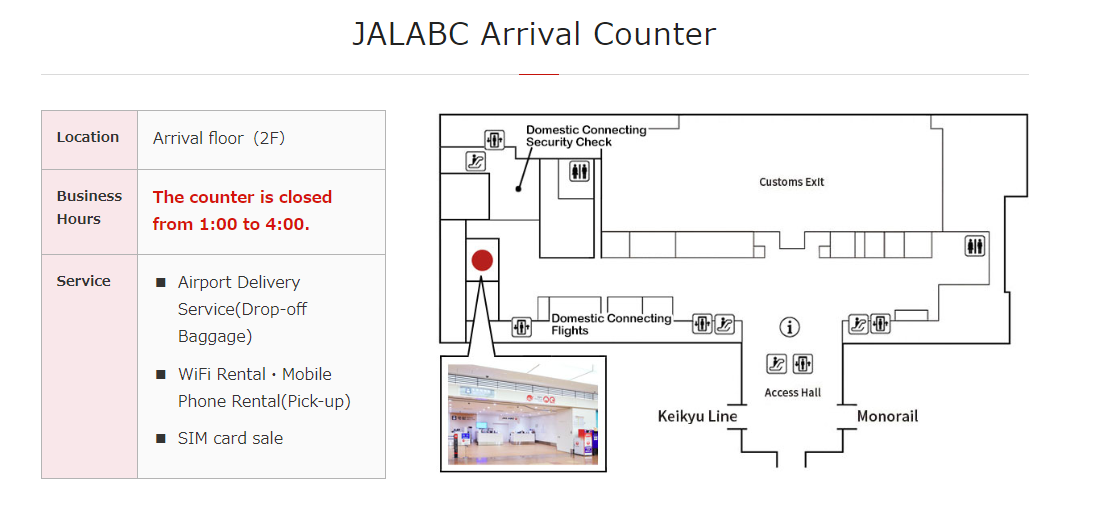
Once you step out of customs you will be meeting with a fork in the road to go either right or left. Take the right turn and if you go all the way down to the hall. The JAL ABC counter should be directly in front of you.
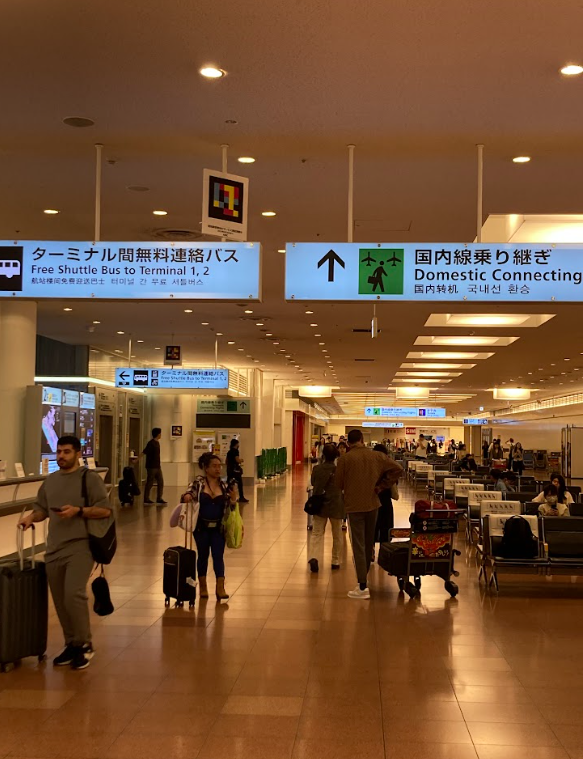
The domestic connecting flights sign should be in your way, and if you see it you are probably on the right way! The image below may help you finding your way!
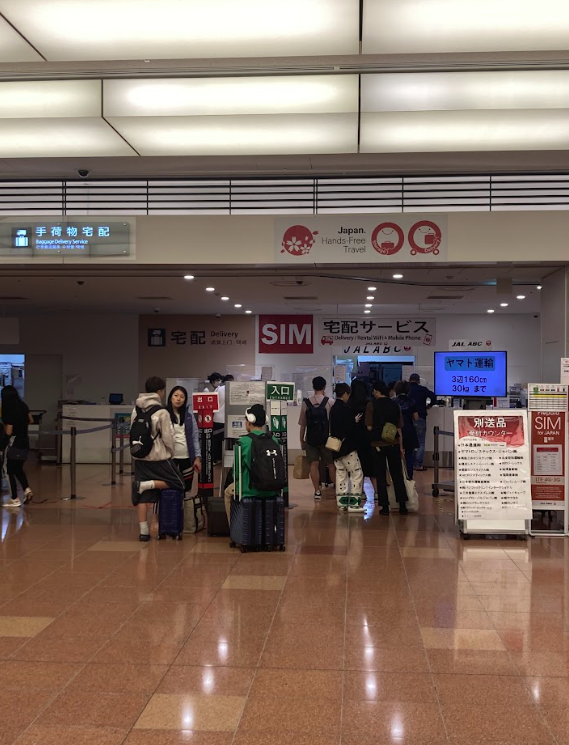
At the end of the hall you will see the pick up table for JAL ABC counter. Please go to the counter and tell the staff your Genki Mobile order name *in English.
Your order will be right in your hands! Get connected directly and this way, you are fully connected during your travel just after landing at the Haneda airport!
I hope this post help you picking up your Wi-Fi package and I hope you enjoy using our service!
If you are travelling in Japan and interested in renting a best portable Wi-Fi device (1GB/day or 7GB/day), a best SIM card (1GB/day) or a best eSIM (1GB/day) in Japan , make sure to check out Genki Mobile
To learn more about our services and get useful travel tips, check our blogs ! We post many useful stuff for first time Japan-explorers!
