To use Genki Mobile’s Japan Travel eSIM, your Android device must support eSIM and have an EID. Most newer Android models support eSIM, but menu names may vary depending on the manufacturer.
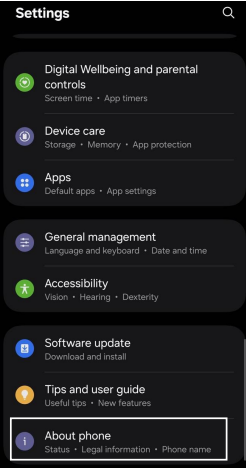
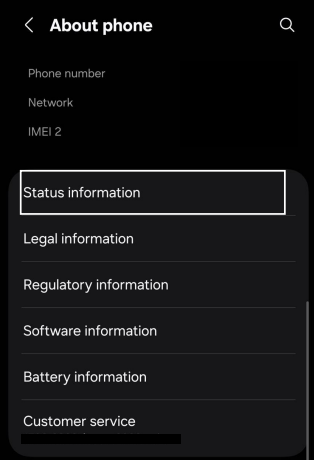
Follow the steps below to check your EID and SIM lock status on Android:
- Open Settings and go to About Device or About Phone

- Inside About device- Open Status Information or IMEI Information

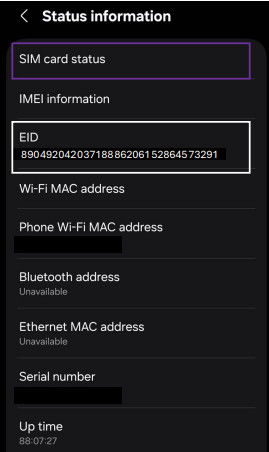
- Scroll down until you see EID, which is a 32-digit number.
The EID shown in the image is only an example — each device has a unique EID.
Above or near the EID, check SIM card status:
- Look for Allowed or No restrictions to confirm your device is unlocked
- If a carrier name is shown, your device must be unlocked by your carrier before using an eSIM
If you would like to download this guide as a PDF, you can do so here.