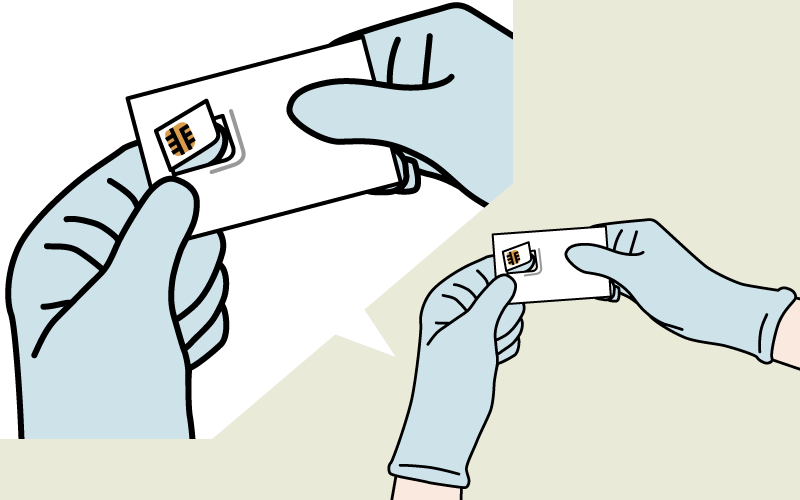
1.Take out SIM card
1. Wear protective gloves and remove from plastic case.
2. Remove the SIM card from the case and insert into device.
*Card edges may be sharp. Be careful not to hurt hands/fingers. Do not touch metal chip with bare hands. If accidentally touched, wipe gently with dry soft cloth before use.
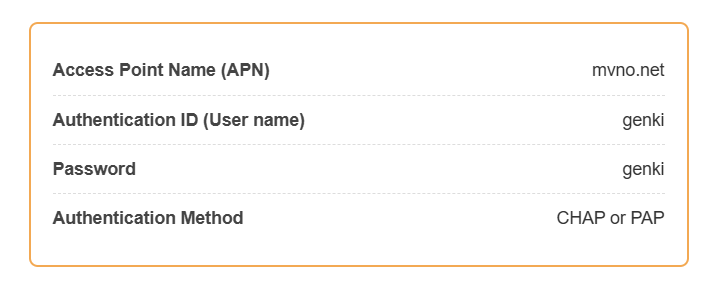
2. Setup your SIM card
1. Your Travel SIM card is activated before shipping.
2. Insert SIM card into your device.*
3. Use the information to the right for setup.
*Please see your device’s instruction manual in regards to the insertion and usage of the SIM card.